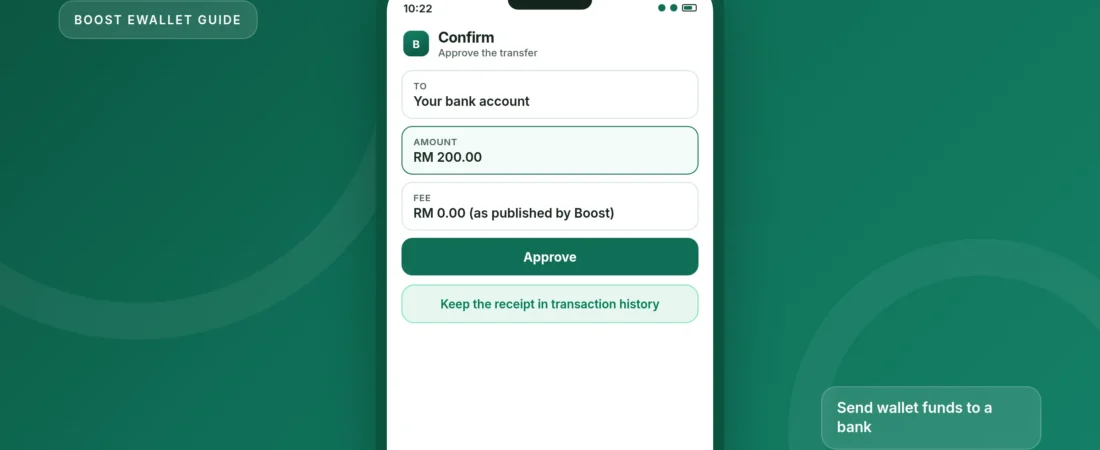
How to transfer money from Boost eWallet to a bank account
Verified Premium or Premium 10K wallets can send money to a Malaysian bank account with DuitNow, from the Send money button in the Boost app.
Boost eWallet and Boost Bank are different products. This guide is for the eWallet: the payments app where you hold e-money and tap Send money. Boost Bank is a licensed digital bank with its own app and a PIDM-protected savings account. If you are trying to move a bank deposit, open the Boost Bank app instead. The difference is explained on the Boost Bank page.
To send eWallet funds to a bank account, or to another participating e-wallet, you first have to complete verification and upgrade to a Premium Wallet or a Premium 10K Wallet. A Basic wallet cannot make this transfer. Once you are verified, the official path is DuitNow, not an older “cash out” button.
Boost’s help centre says there is no fee on DuitNow transfers. The amount you can send still follows your wallet’s monthly transfer cap.
What you need
- The official Boost app, and a wallet that has already passed eKYC, or the documents to complete it now (your ID and a short selfie video).
- A Premium Wallet or Premium 10K Wallet. The upgrade steps below include a top-up of at least RM50 if you have not already done that.
- The recipient’s details: a bank name and account number, or another DuitNow ID such as a mobile number or MyKad number.
- Enough eWallet balance, within your monthly send limit.
Only use the official Boost app from the App Store or Google Play. Nobody from Boost will ask you to “unlock” a transfer by paying a fee to a personal account, or to share your PIN or OTP.
Upgrade to Premium 10K first, if you have not already
If Send money already offers DuitNow, skip to the transfer steps. If it does not, complete the official upgrade. Boost’s help article lists these steps for Premium 10K:
-
Start eKYC and scan your ID
On the homepage, tap eKYC Verification, then Next. Choose the issuing country and the type of ID, then scan the front and back, following the on-screen frames. Record the selfie video when asked. You can review it and tap Redo if you need another take. Fill in your address and employment details, then submit. You can leave the screen; Boost will send a push notification when verification is complete.
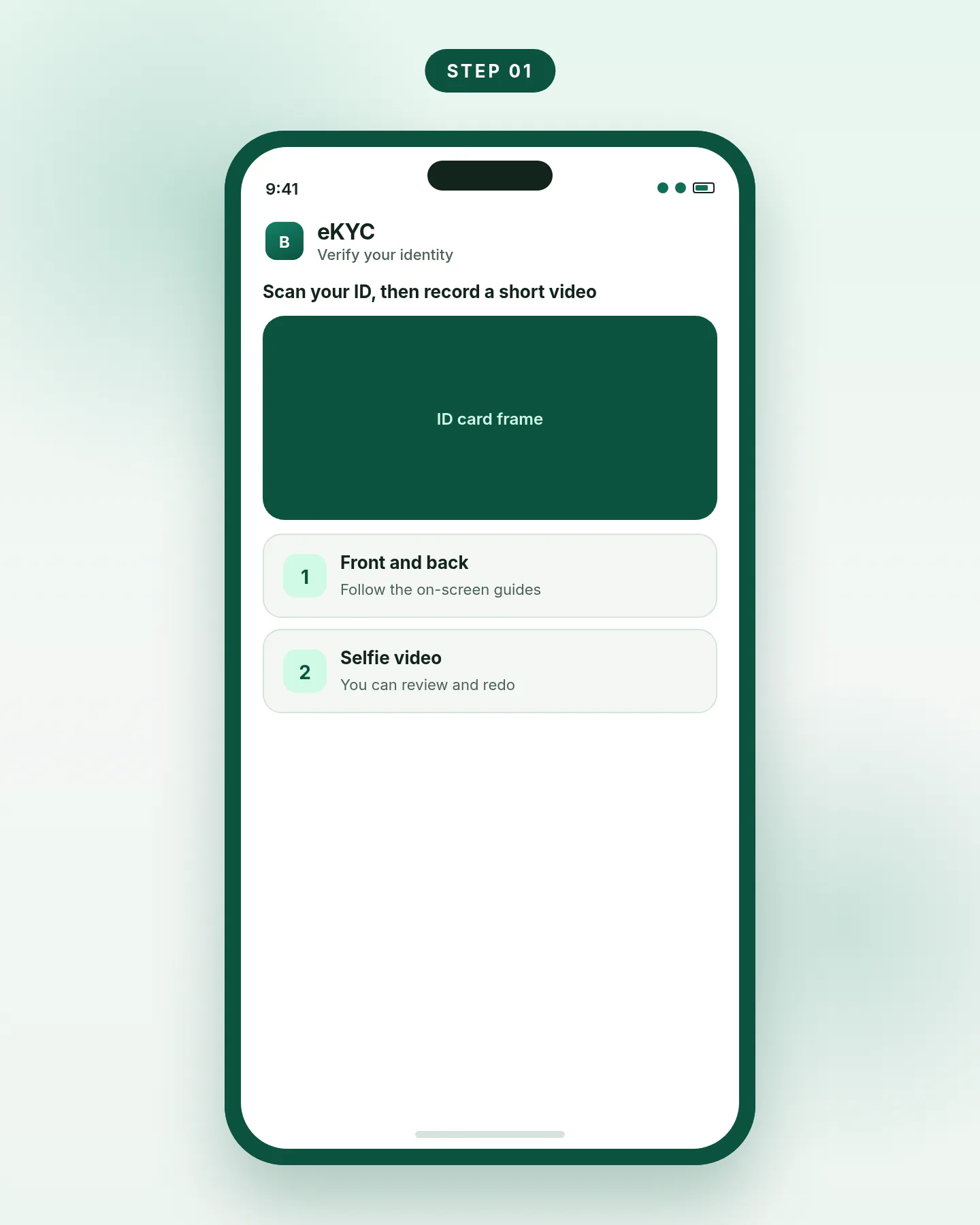
Step 1. Complete eKYC in the official Boost app. -
Upgrade and top up at least RM50
After approval, the homepage shows Upgrade to Premium 10K. Tap Upgrade Now. If you have not already done so, top up at least RM50 to finish account verification. When that is done, the wallet is a Premium 10K wallet, and DuitNow transfers become available.
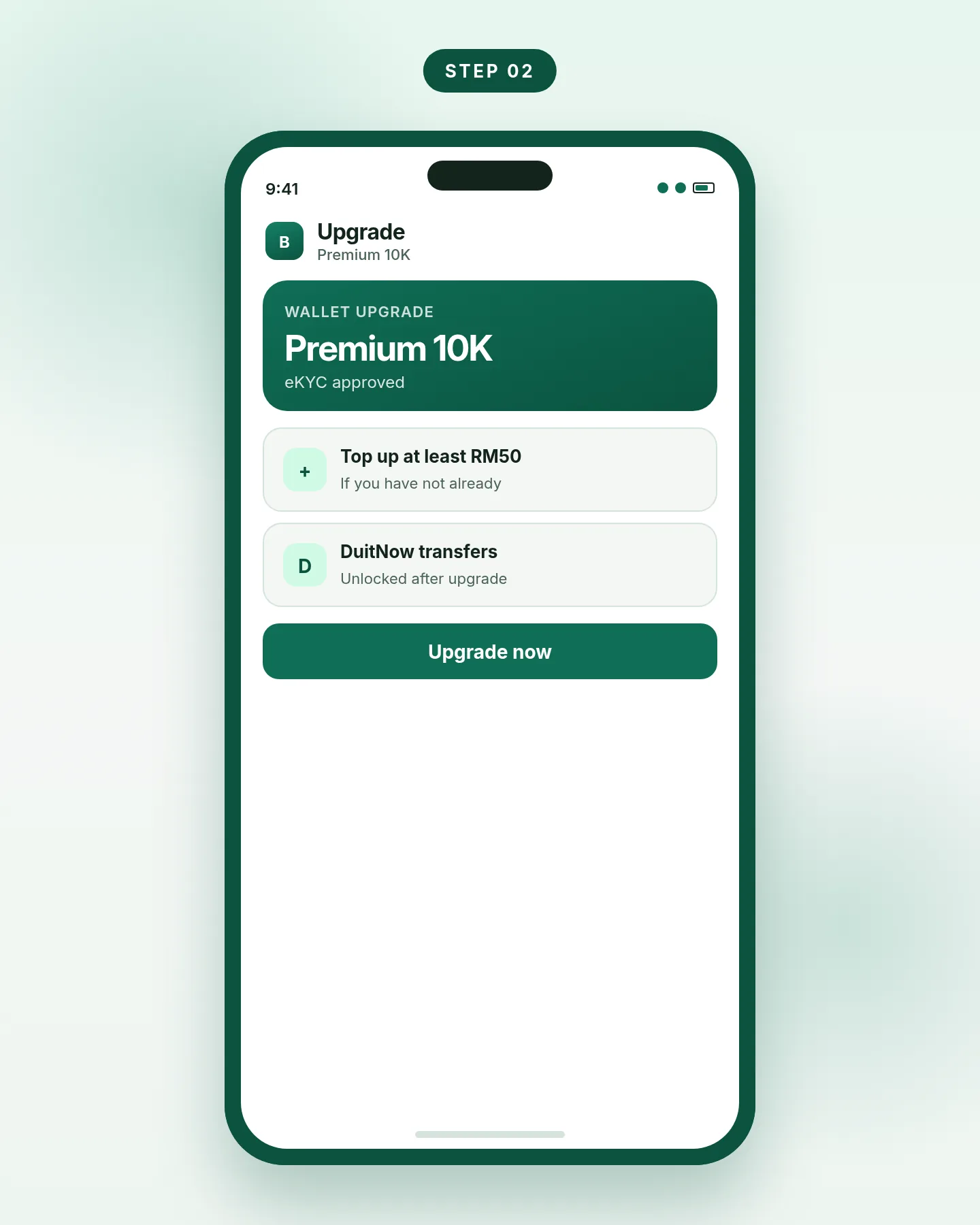
Step 2. Upgrade, then top up at least RM50 if needed.
Send the money with DuitNow
These are Boost’s official steps for transferring from the wallet to a participating Malaysian bank or e-wallet, including your own online banking account.
-
Open Send money and choose DuitNow
On the Boost app homepage, select Send money, then select DuitNow. Do not confuse this with a Boost-to-Boost transfer, which only works between Boost wallets.
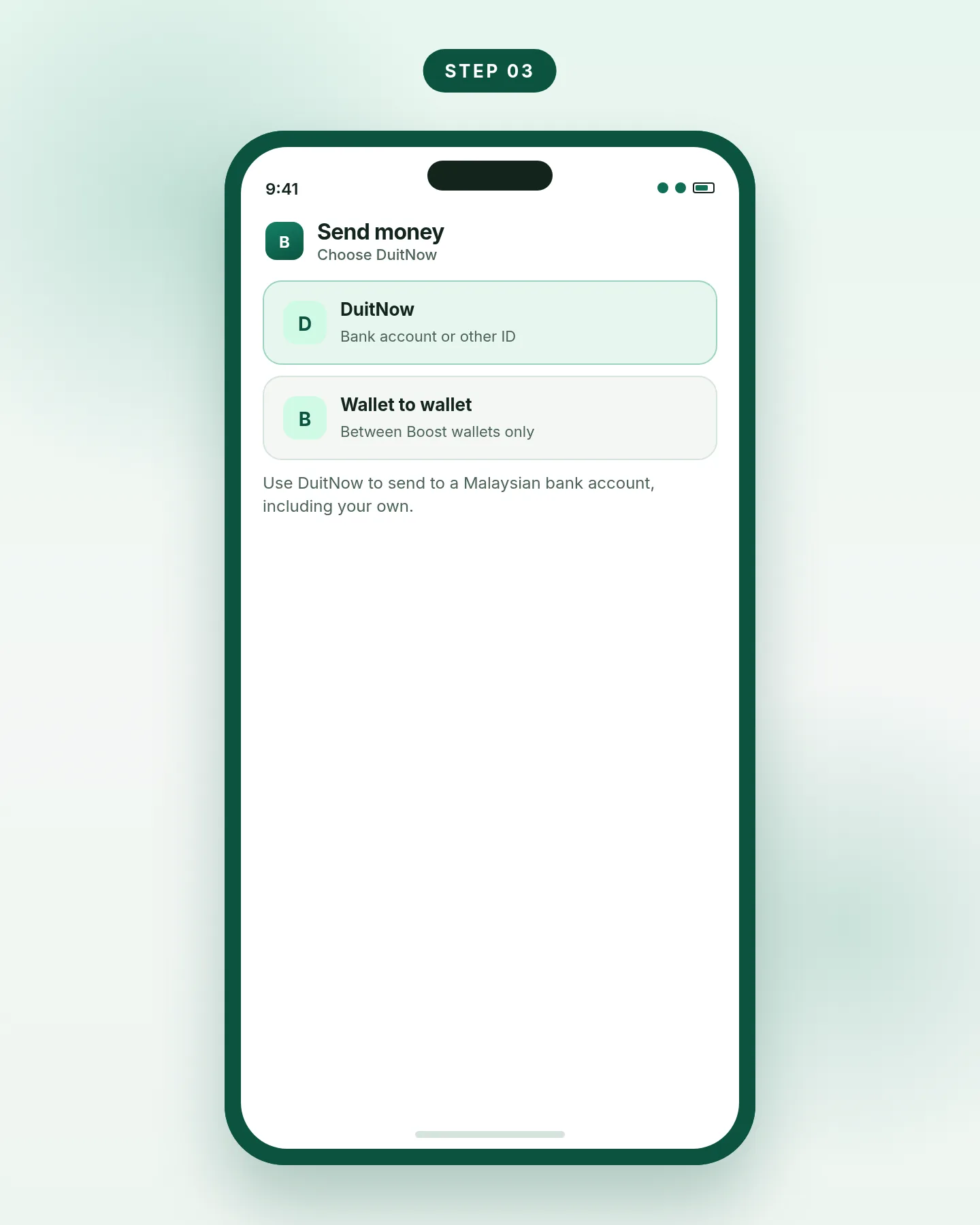
Step 3. Send money, then DuitNow, not a Boost-only transfer. -
Choose the recipient’s ID type and enter the details
Boost lists six DuitNow ID types: bank account number, mobile number, NRIC/MyKad, passport number, police or army ID, and business registration number. For a transfer to a bank account, choose Bank Account, then enter the bank and the account number, plus any other details the screen asks for. Check the name that comes back before you continue.
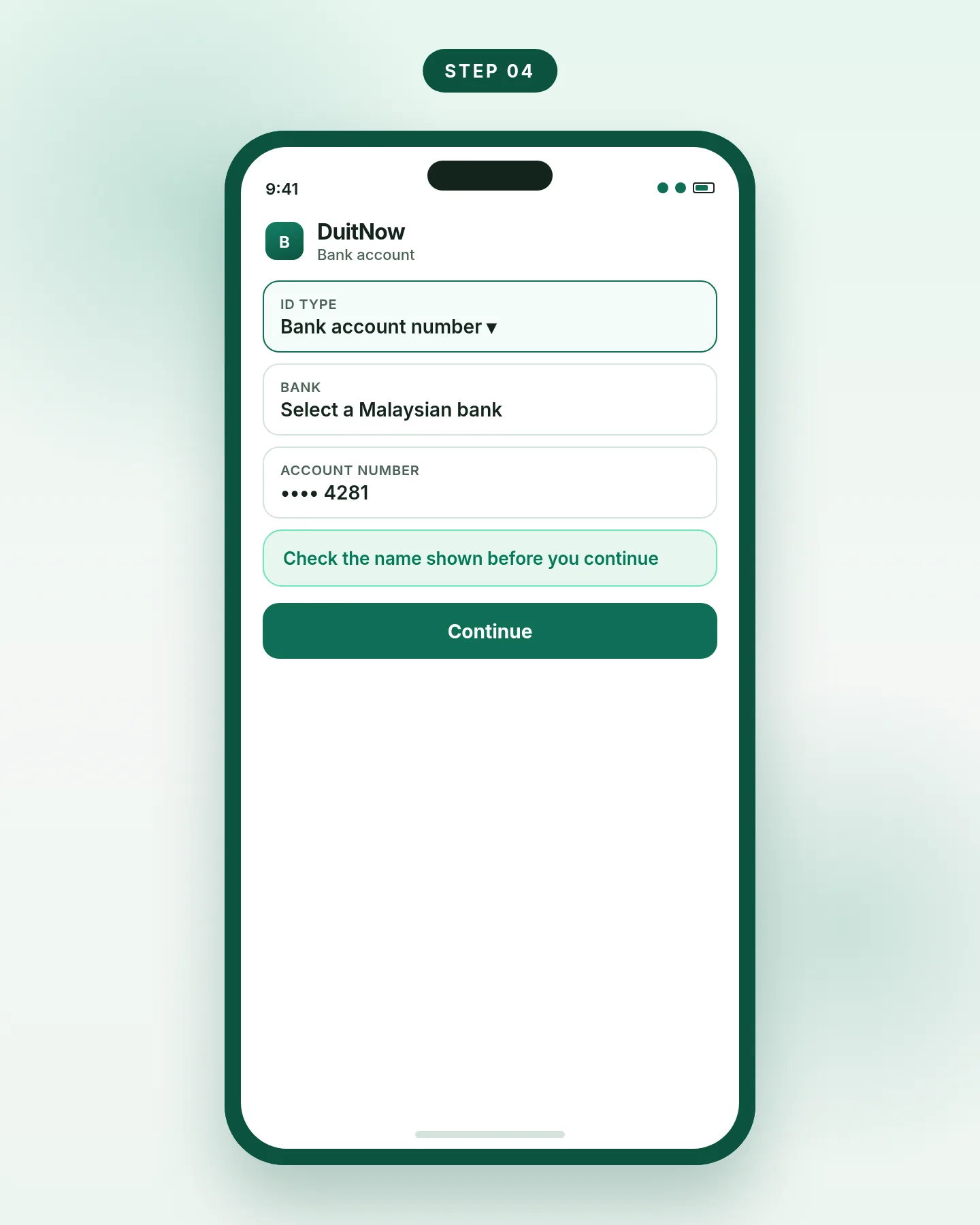
Step 4. Enter the bank and account number, then check the name. -
Confirm and approve the transfer
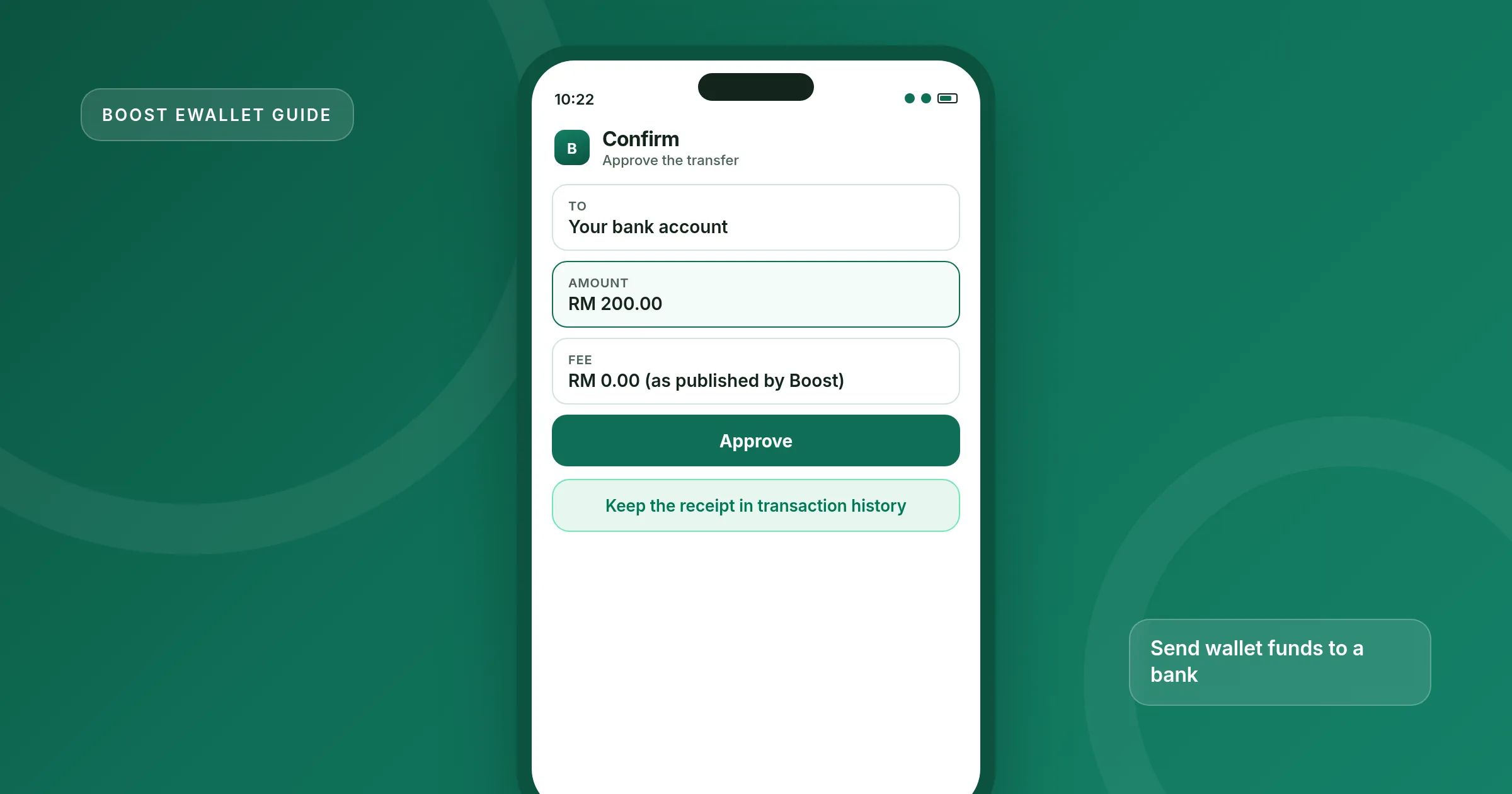
Tap Confirm. An authentication drawer appears so you can verify the transfer, usually with your PIN or biometrics. When it succeeds, open your wallet transaction history to see the confirmation. If the money does not arrive, keep that receipt and contact Boost support from the app. General DuitNow delays are also covered in DuitNow transfer problems.
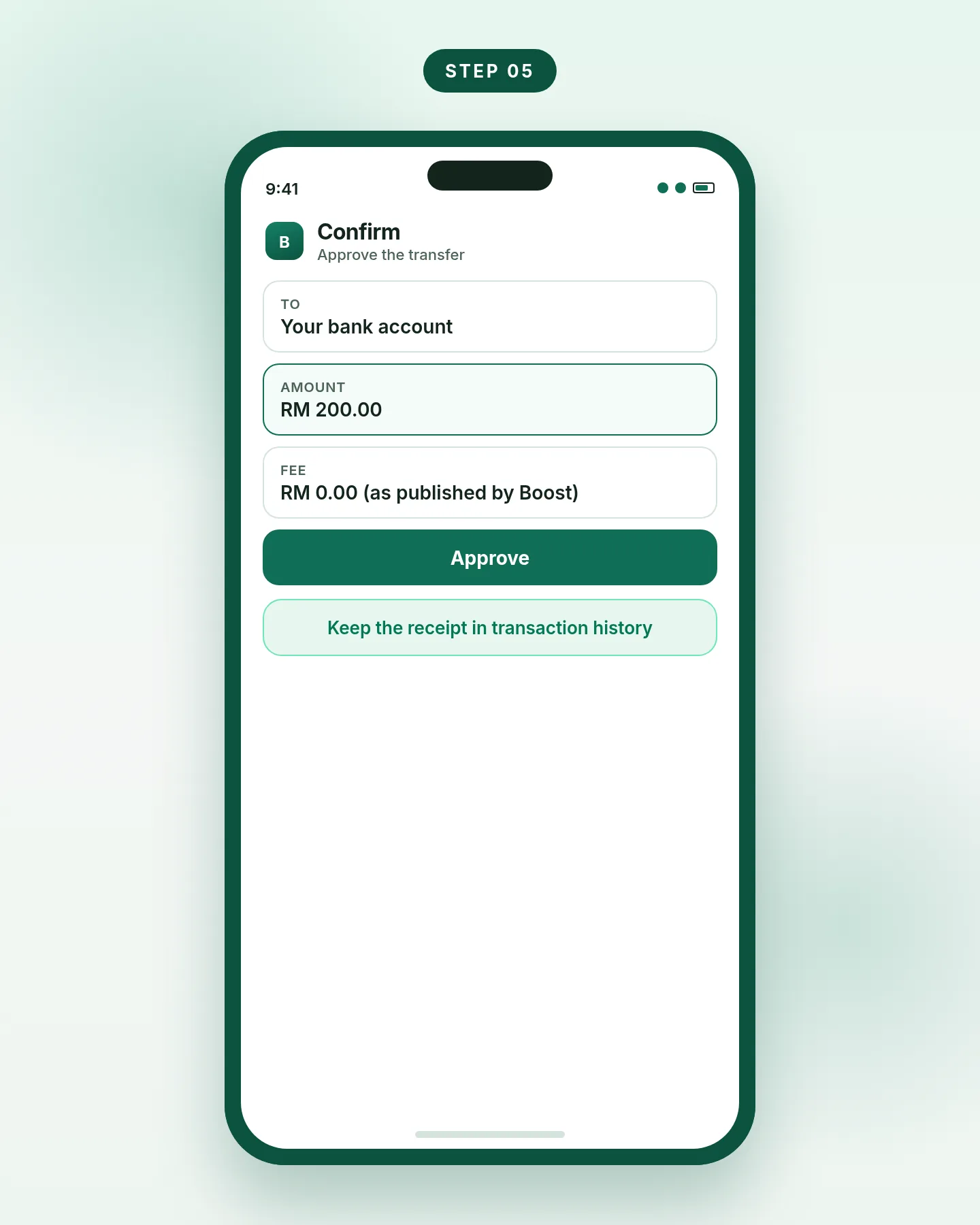
Step 5. Approve the transfer, then keep the in-app receipt.
Fees and Premium 10K limits
Boost’s DuitNow help article states that no fees are imposed on DuitNow transfers. The published Premium 10K limits, from Boost’s “What is a Premium 10K Wallet?” article, are:
| Item | Premium 10K Wallet, as published by Boost |
|---|---|
| Maximum wallet balance | Add money up to RM10,000 |
| Monthly spending | Up to RM9,999, refreshed on the 1st of each month |
| Monthly send (electronic money transfer) | Up to RM9,999, also described as refreshing monthly |
| Wallets per ID | Only one Premium Wallet or Premium 10K Wallet per ID |
| DuitNow transfer fee | None, according to Boost’s DuitNow fee article |
| Who can transfer out | Premium Wallet or Premium 10K Wallet only, after verification |
Figures from Boost’s official help centre. Older Premium Wallet caps were shown as comparison images on another help page, so they are not restated here as text figures.
Money that stays in the eWallet is e-money, not a bank deposit, so it is not covered by the PIDM limit that applies to eligible Boost Bank savings. If you want deposit protection, transfer the funds into a licensed bank account, which can include a Boost Bank account if you have opened one. See PIDM and safety.
Common problems and fixes
DuitNow is missing or greyed out
Finish eKYC and the Premium 10K upgrade, including the RM50 top-up if the app still asks for it. A Basic wallet cannot transfer out.
The transfer is declined
Check your balance and your remaining monthly send limit. Confirm the bank and account number, and that the name shown is the person or firm you intend to pay.
You opened the Boost Bank app by mistake
Bank transfers leave from that bank’s own transfer menu, not from the eWallet. If device binding or login is the problem, see account access problems.
eKYC was rejected
Boost has a separate help article on rejected ID or passport photos. Retry in good light, with the full card in the frame, and use the original document, not a photo of a photocopy.
Frequently asked questions
Can I transfer from a Basic Boost wallet to a bank?
No. Boost says you must complete account verification and upgrade to a Premium Wallet or a Premium 10K Wallet first.
Is there a fee to transfer Boost eWallet funds to a bank account?
Boost’s help centre says no fees are imposed on DuitNow transfers. Check the confirmation screen for the amount that will leave your wallet before you approve.
Can I send to my own bank account?
Yes. Boost’s transfer article includes “your online banking account” among the participating DuitNow banks and e-wallets you can send to. Use the Bank Account option and enter your own bank and account number.
Is this the same as transferring from Boost Bank?
No. Boost Bank is a separate licensed bank. This guide only covers the eWallet. Deposits in Boost Bank, if you have an account there, follow that bank’s own transfer limits and app.
What DuitNow IDs can I send to?
Bank account number, mobile number, NRIC/MyKad, passport number, police or army ID, and business registration number.
How much can I send each month on Premium 10K?
Boost publishes a monthly send limit of up to RM9,999 for electronic money transfers on Premium 10K, with the monthly spending limit refreshing on the 1st of the month.